Sessions in 7 days
138

Scarb Space Company helps psychological companies, clinics, and corporate providers see their specialists' work: sessions, workload, active clients, trends, performance, and access rights. Each psychologist also gets their own Scarb Space for working with clients, notes, sessions, and session preparation.

 Maria Shevchenko
 Viktoriia Savchuk
 Yuliia Tkachenko
Management sees operational analytics. Psychologists get a convenient workspace. The private content of sessions and sensitive client data isn't shown to management without the appropriate permissions and access policies.
A psychological company or clinic can have 10, 30, or 100 specialists. Each has their own clients, schedule, sessions, statuses, reschedules, no-shows, notes, and way of working. When all of this lives in Excel, messengers, calendars, and manual reports, management loses a clear picture, and psychologists waste time organizing their work instead of focusing on clients.

Someone is overloaded, someone has free slots – but it's hard to see this in time.
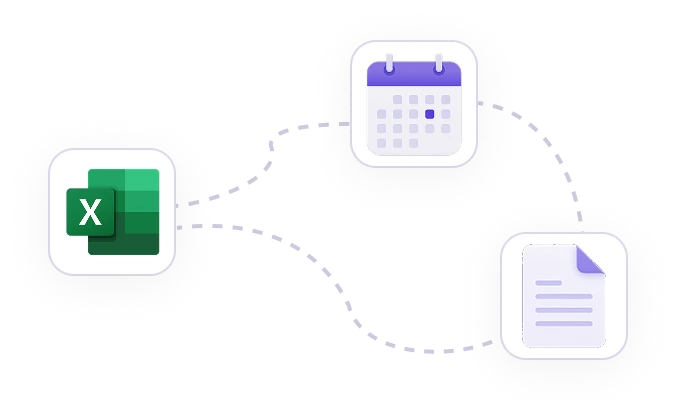
Session counts, cancellations, no-shows, and psychologist activity have to be pulled together from different sources.
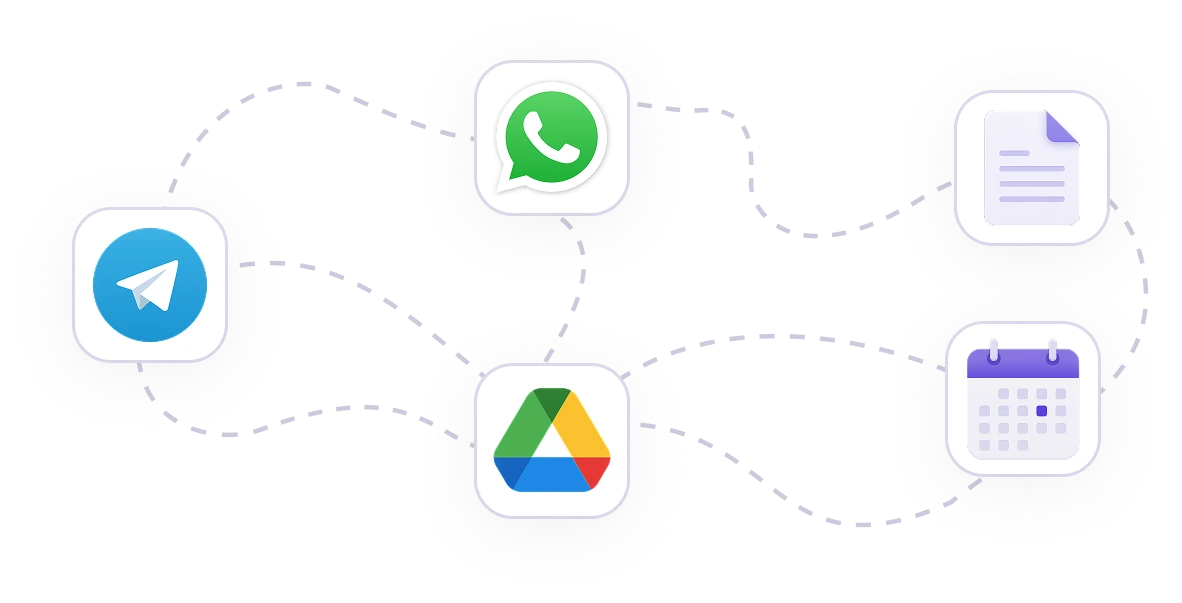
Notes in one place, calendar in another, homework in chats, questionnaires in separate files.
'%3e%3crect%20width='384'%20height='150'%20fill='white'/%3e%3cpath%20d='M0%2084.5L13.5%2079L43.5%2063L81.3385%2047H107L125.5%2052.5L189%2078L250%2098.4215L281%20103L321.5%20101.5L379.5%2093V121H0V84.5Z'%20fill='url(%23paint0_linear_2911_8144)'/%3e%3cpath%20d='M202%2083C164.5%2070.0666%20158.847%2066.5326%20140.044%2058.3214C121.242%2050.1102%2099.8465%2038.7409%2064.1871%2053.5842C28.5276%2068.4275%2012.3188%2082.9549%206.10352e-05%2084.2182'%20stroke='%237153FF'%20stroke-width='1.2963'/%3e%3cpath%20d='M378.65%2092.5C350.003%2098.2559%20271.5%20116.5%20207%2083.5'%20stroke='%23BFB7E4'%20stroke-width='1.2963'%20stroke-dasharray='2.59%202.59'/%3e%3cpath%20d='M8%2079.0254C9.64307%2079.0254%2010.9746%2080.3569%2010.9746%2082C10.9746%2083.6431%209.64307%2084.9746%208%2084.9746C6.35693%2084.9746%205.02539%2083.6431%205.02539%2082C5.02539%2080.3569%206.35693%2079.0254%208%2079.0254Z'%20fill='%23F2F2F7'%20stroke='%237153FF'%20stroke-width='1.95007'/%3e%3cpath%20d='M83%2045.0254C84.6431%2045.0254%2085.9746%2046.3569%2085.9746%2048C85.9746%2049.6431%2084.6431%2050.9746%2083%2050.9746C81.3569%2050.9746%2080.0254%2049.6431%2080.0254%2048C80.0254%2046.3569%2081.3569%2045.0254%2083%2045.0254Z'%20fill='%23F2F2F7'%20stroke='%237153FF'%20stroke-width='1.95007'/%3e%3cpath%20d='M148%2059.0254C149.643%2059.0254%20150.975%2060.3569%20150.975%2062C150.975%2063.6431%20149.643%2064.9746%20148%2064.9746C146.357%2064.9746%20145.025%2063.6431%20145.025%2062C145.025%2060.3569%20146.357%2059.0254%20148%2059.0254Z'%20fill='%23F2F2F7'%20stroke='%237153FF'%20stroke-width='1.95007'/%3e%3cpath%20d='M203%2080.0254C204.643%2080.0254%20205.975%2081.3569%20205.975%2083C205.975%2084.6431%20204.643%2085.9746%20203%2085.9746C201.357%2085.9746%20200.025%2084.6431%20200.025%2083C200.025%2081.3569%20201.357%2080.0254%20203%2080.0254Z'%20fill='%23F2F2F7'%20stroke='%237153FF'%20stroke-width='1.95007'/%3e%3cpath%20d='M336%2097.0254C337.643%2097.0254%20338.975%2098.3569%20338.975%20100C338.975%20101.643%20337.643%20102.975%20336%20102.975C334.357%20102.975%20333.025%20101.643%20333.025%20100C333.025%2098.3569%20334.357%2097.0254%20336%2097.0254Z'%20fill='%23F2F2F7'%20stroke='%23BFB7E4'%20stroke-width='1.95007'/%3e%3cpath%20d='M378%2090.0254C379.643%2090.0254%20380.975%2091.3569%20380.975%2093C380.975%2094.6431%20379.643%2095.9746%20378%2095.9746C376.357%2095.9746%20375.025%2094.6431%20375.025%2093C375.025%2091.3569%20376.357%2090.0254%20378%2090.0254Z'%20fill='%23F2F2F7'%20stroke='%23BFB7E4'%20stroke-width='1.95007'/%3e%3cpath%20d='M267%2098.0254C268.643%2098.0254%20269.975%2099.3569%20269.975%20101C269.975%20102.643%20268.643%20103.975%20267%20103.975C265.357%20103.975%20264.025%20102.643%20264.025%20101C264.025%2099.3569%20265.357%2098.0254%20267%2098.0254Z'%20fill='%23F2F2F7'%20stroke='%23BFB7E4'%20stroke-width='1.95007'/%3e%3c/g%3e%3cdefs%3e%3clinearGradient%20id='paint0_linear_2911_8144'%20x1='346.5'%20y1='58.5'%20x2='346.511'%20y2='147.5'%20gradientUnits='userSpaceOnUse'%3e%3cstop%20offset='0.0750606'%20stop-color='%23E9E4FF'/%3e%3cstop%20offset='0.809638'%20stop-color='%23FCFBFE'%20stop-opacity='0.19'/%3e%3c/linearGradient%3e%3cclipPath%20id='clip0_2911_8144'%3e%3crect%20width='384'%20height='150'%20fill='white'/%3e%3c/clipPath%3e%3c/defs%3e%3c/svg%3e)
Mood over the week
What happened between sessions?
Management sees that sessions happened, but not always the dynamics of the work with clients.

New specialists are added via emails, spreadsheets, or manual instructions.
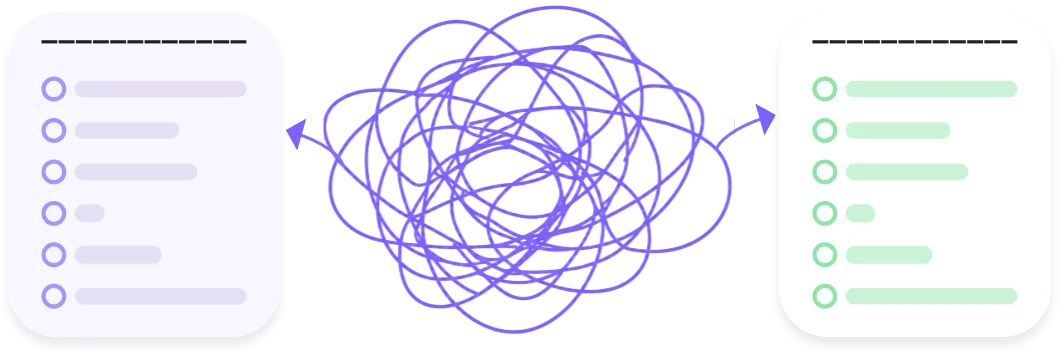
The manager sees fragments, psychologists work in different processes, and the company has no unified space.
In Scarb Space Company, management can onboard psychologists, manage roles, see company-wide analytics, open each specialist's profile, and analyze sessions, workload, active clients, and performance. Psychologists work in their own Scarb Space: managing clients, notes, sessions, tasks, questionnaires, and AI preparation.
Scarb Space Company shows more than a list of specialists – it's a live operational picture: how many sessions are held, how workload is distributed, who's active, where there's spare capacity, and how performance is changing.
Management gets transparent analytics across the whole company and can quickly see whether there are enough psychologists, who's overloaded, which days are busiest, how session counts are changing, and where support or client redistribution is needed. Psychologists don't become "objects of control" – the system helps see workload and support specialists based on facts.
Shows the company's activity trend
Helps see the typical daily workload
How many specialists are actually working
Clients with contact or sessions in the period
Maria ShevchenkoViktoriia SavchukYuliia TkachenkoHighest workload:
Wednesday, Thursday, FridayAn aggregated indicator of client dynamics, when there's enough data
Data is aggregated. The private content of sessions isn't shown
The psychologist generates a code in their own Scarb Space. The manager enters the code in the company admin panel – and the specialist appears in the list
Generate a code and share it with your company's manager to get added to the system
Your connection code
Valid for 48 hours
The code is single-use and tied to you. Once used, it becomes invalid.
In their Scarb Space, the psychologist clicks to generate a code for the company.
The psychologist generates a code in their own Scarb Space. The manager enters the code in the company admin panel – and the specialist appears in the list
Scarb Space Company gives management operational analytics, and psychologists their own workspace for daily practice
Tetiana Bondar
ConnectedOnline50 min ago
Sessions completed: 12
Next session
June 24 (Wed), 4:00 PM
Mood analytics
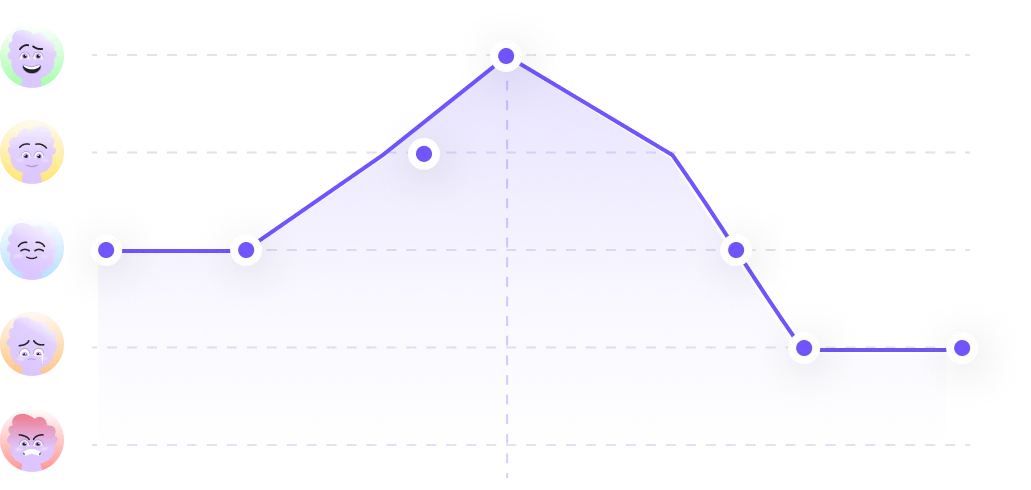
Time: 11:00
Mood: Anxious
State distribution
Diary insights
Analysis of entries from the last 30 days (28 entries)
Completed exercises
High effectiveness5 of 7
Completed
Works best:
Breathing practice
Quick AI overview of the last 7 days of activity
In Scarb Space Company you can add managers, assign roles, revoke access, and see the action history. This matters for companies where several people work with analytics: an owner, an operations manager, a head of therapy, or a team lead
Full access: managing managers, linking psychologists, viewing analytics, revoking access.
Access to analytics and linking psychologists within the allowed role.
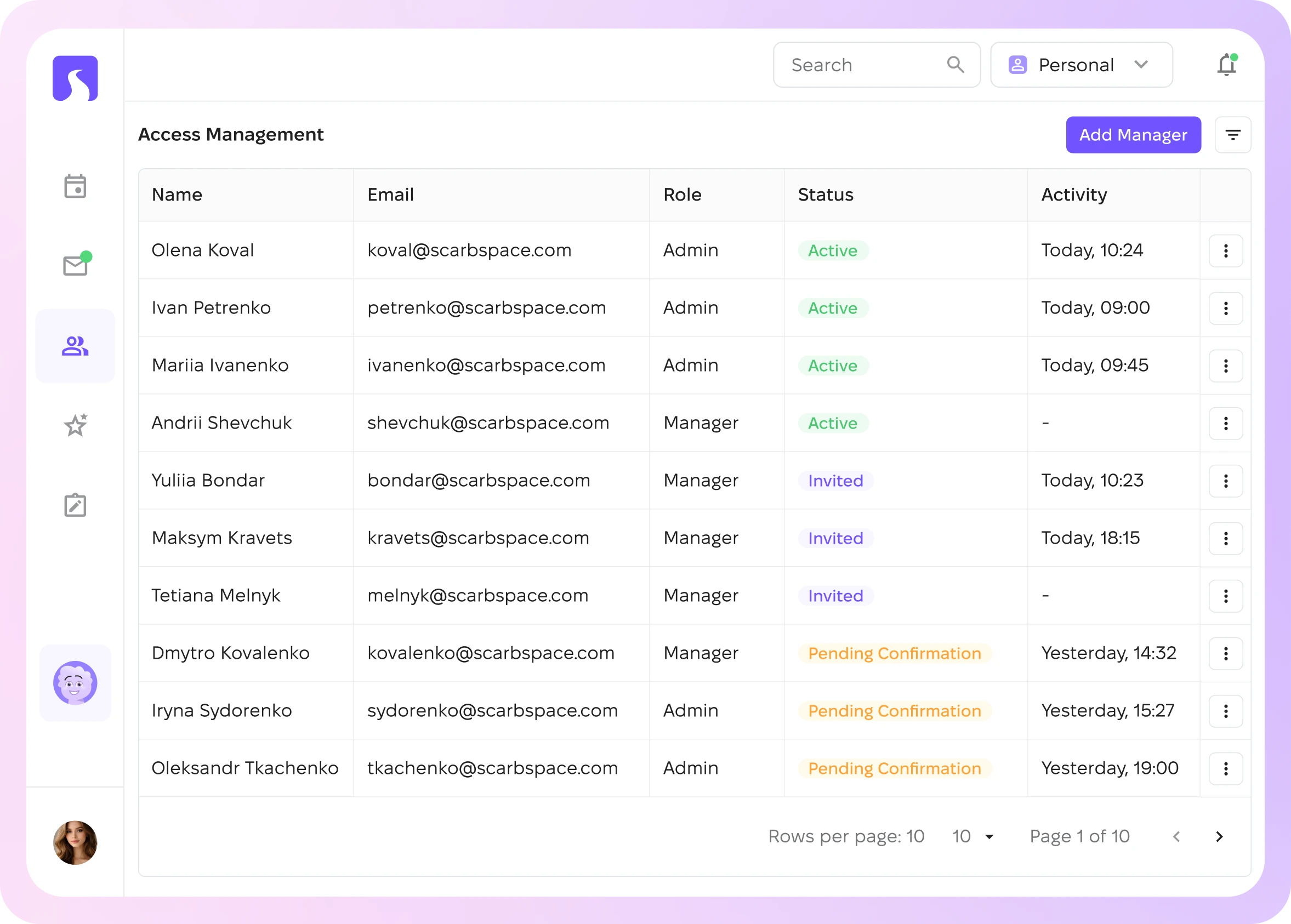
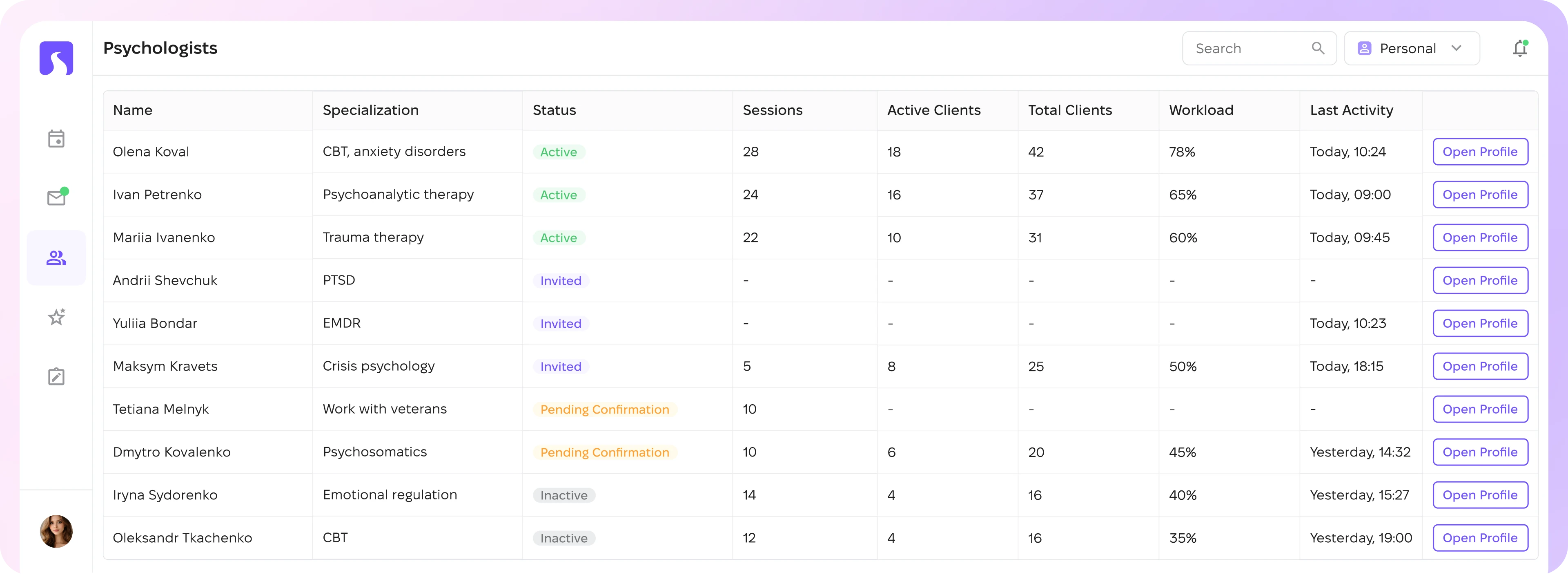
Management sees every linked psychologist, their status, activity, session count, workload, active clients, and basic performance metrics. This helps them support psychologists based on facts and distribute resources better instead of micromanaging people
Olena Koval
CBT, anxiety disorders
28
Sessions per period
18
Active clients
42
Total clients
78%
Workload
Ivan Petrenko
Psychoanalytic therapy
24
Sessions per period
16
Active clients
37
Total clients
65%
Workload
Mariia Ivanenko
Trauma therapy
22
Sessions per period
10
Active clients
31
Total clients
60%
Workload
Scarb Space Company doesn't reduce a psychologist's work quality to a single "rating." The system shows aggregated dynamics, data coverage, and an explanation of what data a conclusion is based on
Overall dynamics for the selected period
How many clients and how much data are accounted for
How sufficient the data is for a conclusion
How exactly the indicator is calculated
When there isn't enough data, the system honestly shows "not enough data" instead of making an incorrect conclusion
62%
This isn't a medical conclusion. If there isn't enough data, the system shows "not enough data" instead of an incorrect conclusion.
Scarb Space Company is built to manage a team of psychologists, not to interfere with the therapeutic process
In a psychologist's profile, management sees the key operational metrics: sessions, active clients, total clients, an activity chart, workload, and performance. This helps them see who needs support, where there's overload, and how to distribute work better
Psychologists / Anna Koval

Clinical psychologist, CBT
Shows the company's activity trend
Helps see the typical daily workload
Clients with contact or sessions in the period
'%3e%3cpath%20d='M5.1%2020C4.73333%2020%204.39583%2019.9208%204.0875%2019.7625C3.77917%2019.6042%203.53333%2019.3667%203.35%2019.05C2.91667%2018.2667%202.58333%2017.4542%202.35%2016.6125C2.11667%2015.7708%202%2014.9%202%2014C2%2012.6167%202.2625%2011.3167%202.7875%2010.1C3.3125%208.88333%204.025%207.825%204.925%206.925C5.825%206.025%206.88333%205.3125%208.1%204.7875C9.31667%204.2625%2010.6167%204%2012%204C12.3833%204%2012.7667%204.025%2013.15%204.075C13.5333%204.125%2013.9167%204.19167%2014.3%204.275L12.975%206.075C12.8083%206.04167%2012.6458%206.02083%2012.4875%206.0125C12.3292%206.00417%2012.1667%206%2012%206C9.76667%206%207.875%206.775%206.325%208.325C4.775%209.875%204%2011.7667%204%2014C4%2014.7%204.09583%2015.3875%204.2875%2016.0625C4.47917%2016.7375%204.75%2017.3833%205.1%2018H18.875C19.2417%2017.4%2019.5167%2016.7583%2019.7%2016.075C19.8833%2015.3917%2019.975%2014.7%2019.975%2014C19.975%2012.9%2019.7625%2011.85%2019.3375%2010.85C18.9125%209.85%2018.3%208.975%2017.5%208.225L18.025%206.05C19.275%207%2020.2458%208.17083%2020.9375%209.5625C21.6292%2010.9542%2021.975%2012.4333%2021.975%2014C21.9917%2014.9%2021.8833%2015.775%2021.65%2016.625C21.4167%2017.475%2021.075%2018.2833%2020.625%2019.05C20.4417%2019.3667%2020.1958%2019.6042%2019.8875%2019.7625C19.5792%2019.9208%2019.2417%2020%2018.875%2020H5.1ZM11.175%2015.8C11.7083%2016.0333%2012.2458%2016.0458%2012.7875%2015.8375C13.3292%2015.6292%2013.6833%2015.25%2013.85%2014.7C14.3333%2013.0833%2014.7708%2011.4667%2015.1625%209.85C15.5542%208.23333%2015.9083%206.6%2016.225%204.95C15.175%206.26667%2014.1542%207.59167%2013.1625%208.925C12.1708%2010.2583%2011.1917%2011.6167%2010.225%2013C9.89167%2013.4833%209.825%2014.0083%2010.025%2014.575C10.225%2015.1417%2010.6083%2015.55%2011.175%2015.8Z'%20fill='%237153FF'/%3e%3c/g%3e%3c/svg%3e)
Optimal workload
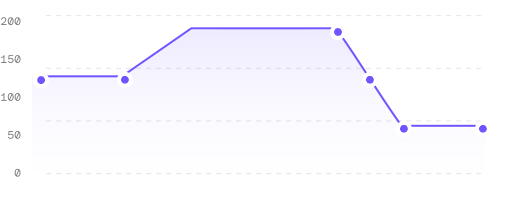
Clients with contact or a session in the selected period
'%3e%3crect%20width='309.405'%20height='102.004'%20fill='white'/%3e%3cpath%20d='M251.176%20102.66C254.75%20102.66%20257.668%2099.7596%20257.443%2096.1931C255.874%2071.3762%20245.321%2047.889%20227.633%2030.2018C208.416%2010.9846%20182.352%200.188479%20155.175%200.188477C127.998%200.188475%20101.934%2010.9846%2082.7164%2030.2018C65.0292%2047.8889%2054.4756%2071.3762%2052.9072%2096.1931C52.6818%2099.7596%2055.6001%20102.66%2059.1737%20102.66C62.7474%20102.66%2065.62%2099.7592%2065.8779%2096.1949C67.4251%2074.8133%2076.6075%2054.6123%2091.8672%2039.3526C108.657%2022.5623%20131.43%2013.1297%20155.175%2013.1297C178.92%2013.1297%20201.692%2022.5624%20218.483%2039.3526C233.742%2054.6123%20242.925%2074.8134%20244.472%2096.1949C244.73%2099.7592%20247.602%20102.66%20251.176%20102.66Z'%20fill='url(%23paint0_linear_2600_34287)'/%3e%3cpath%20d='M125.775%2083.8926L134.095%2065.5246V65.2046H123.375V61.4926H138.479V64.5646L130.287%2083.8926H125.775ZM150.792%2083.8926V79.7326H139.528V76.5966L149.128%2061.4926H154.632V76.3086H157.416V79.7326H154.632V83.8926H150.792ZM143.592%2076.3086H150.792V65.3326H150.408L143.592%2075.9566V76.3086ZM164.571%2073.1406C161.499%2073.1406%20159.387%2070.6766%20159.387%2067.4126V66.9646C159.387%2063.6686%20161.499%2061.2366%20164.571%2061.2366H164.987C168.059%2061.2366%20170.203%2063.6686%20170.203%2066.9646V67.4126C170.203%2070.6766%20168.059%2073.1406%20164.987%2073.1406H164.571ZM160.571%2083.8926L178.107%2061.3966H182.523L164.987%2083.8926H160.571ZM164.731%2070.0686H164.827C166.107%2070.0686%20167.003%2068.8526%20167.003%2067.2846V67.0926C167.003%2065.4926%20166.107%2064.3086%20164.827%2064.3086H164.731C163.451%2064.3086%20162.555%2065.4926%20162.555%2067.0926V67.2846C162.555%2068.8526%20163.451%2070.0686%20164.731%2070.0686ZM178.075%2084.1486C174.971%2084.1486%20172.859%2081.7166%20172.859%2078.4206V77.9726C172.859%2074.7086%20174.971%2072.2446%20178.075%2072.2446H178.459C181.563%2072.2446%20183.675%2074.7086%20183.675%2077.9726V78.4206C183.675%2081.7166%20181.563%2084.1486%20178.459%2084.1486H178.075ZM178.203%2081.0766H178.331C179.611%2081.0766%20180.475%2079.8926%20180.475%2078.2926V78.1006C180.475%2076.5326%20179.611%2075.3166%20178.331%2075.3166H178.203C176.923%2075.3166%20176.059%2076.5326%20176.059%2078.1006V78.2926C176.059%2079.8926%20176.923%2081.0766%20178.203%2081.0766Z'%20fill='%234BC570'/%3e%3c/g%3e%3cdefs%3e%3clinearGradient%20id='paint0_linear_2600_34287'%20x1='267.941'%20y1='63.8239'%20x2='13.8668'%20y2='64.7597'%20gradientUnits='userSpaceOnUse'%3e%3cstop%20stop-color='%23FB5852'/%3e%3cstop%20offset='0.201071'%20stop-color='%23FDA23F'/%3e%3cstop%20offset='0.351055'%20stop-color='%23FBC956'/%3e%3cstop%20offset='0.534965'%20stop-color='%23D9D365'/%3e%3cstop%20offset='0.66999'%20stop-color='%2376D08D'/%3e%3cstop%20offset='1'%20stop-color='%2325C085'/%3e%3c/linearGradient%3e%3cclipPath%20id='clip0_2600_34287'%3e%3crect%20width='309.405'%20height='102.004'%20fill='white'/%3e%3c/clipPath%3e%3c/defs%3e%3c/svg%3e)
Recommended range: 60-80%
Aggregated dynamics of improvement / stability / decline based on available data.
62% improvement
80% Stability
Employees use the app because they receive personal support: check-ins, exercises, a diary, Milo, microlearning, and a personalized path. HR receives anonymized analytics that helps identify trends, risks, and the effectiveness of decisions.

For companies that provide psychological services to individuals or businesses and want to manage their team of specialists systematically.

For clinics where it matters to see sessions, workload, activity, and process quality – and psychologists need a single workspace.

For providers who sell corporate psychological support and want to transparently manage psychologists and the service.

For organizations working with veterans, veterans' families, and support teams.

For businesses that have their own psychologists and want to give them a convenient tool, and management a clear operational picture.
For networks of specialists who want to scale their work without manual management.
| SCARB | Excel | Messengers | Google Calendar | Manual reports | Separate psychologist workspaces without Company Admin | |
|---|---|---|---|---|---|---|
| Managing psychologists and teams | Included | Not included | Not included | Not included | Not included | Not included |
| Roles and access levels | Included | Not included | Not included | Not included | Not included | Not included |
| Linking psychologists via code | Included | Not included | Not included | Not included | Not included | Not included |
| Sessions and scheduling | Included | Included | Included | Not included | Not included | Included |
| Workload analytics | Included | Not included | Not included | Not included | Not included | Not included |
| Psychologist profiles | Included | Not included | Not included | Not included | Not included | Not included |
| Audit log and activity history | Included | Not included | Not included | Not included | Not included | Included |
| A single psychologist workspace | Included | Not included | Not included | Not included | Not included | Not included |
| Overall company-wide picture | Included | Not included | Not included | Not included | Not included | Not included |
| Excel | Messengers | Google Calendar | Manual reports | Separate psychologist workspaces without Company Admin |  Scarb Space Company Scarb Space Company | |
|---|---|---|---|---|---|---|
| Managing psychologists and teams | Not included | Not included | Not included | Not included | Not included | Included |
| Roles and access levels | Not included | Not included | Not included | Not included | Not included | Included |
| Linking psychologists via code | Not included | Not included | Not included | Not included | Not included | Included |
| Sessions and scheduling | Included | Included | Not included | Not included | Included | Included |
| Workload analytics | Not included | Not included | Not included | Not included | Not included | Included |
| Psychologist profiles | Not included | Not included | Not included | Not included | Not included | Included |
| Audit log and activity history | Not included | Not included | Not included | Not included | Included | Included |
| A single psychologist workspace | Not included | Not included | Not included | Not included | Not included | Included |
| Overall company-wide picture | Not included | Not included | Not included | Not included | Not included | Included |
No. Scarb Space Company is built so that management sees operational analytics, not the private content of client work.
We'll show you the company dashboard, linking psychologists with a code, a specialist profile, session analytics, manager roles, the audit log, and Scarb Space for the psychologists on your team.
Less manual management for the team. More convenience for your psychologists.

You can start with one team of psychologists or a small pilot.


'%3e%3cpath%20id='person_2_2'%20d='M9.775%2012C9.175%2012%208.675%2011.775%208.275%2011.325C7.875%2010.875%207.71667%2010.35%207.8%209.75L8.125%207.3C8.25833%206.35%208.69167%205.5625%209.425%204.9375C10.1583%204.3125%2011.0167%204%2012%204C12.9833%204%2013.8417%204.3125%2014.575%204.9375C15.3083%205.5625%2015.7417%206.35%2015.875%207.3L16.2%209.75C16.2833%2010.35%2016.125%2010.875%2015.725%2011.325C15.325%2011.775%2014.825%2012%2014.225%2012H9.775ZM9.775%2010H14.225L13.9%207.6C13.8333%207.13333%2013.6208%206.75%2013.2625%206.45C12.9042%206.15%2012.4833%206%2012%206C11.5167%206%2011.0958%206.15%2010.7375%206.45C10.3792%206.75%2010.1667%207.13333%2010.1%207.6L9.775%2010ZM4%2020V17.2C4%2016.6333%204.14583%2016.1125%204.4375%2015.6375C4.72917%2015.1625%205.11667%2014.8%205.6%2014.55C6.63333%2014.0333%207.68333%2013.6458%208.75%2013.3875C9.81667%2013.1292%2010.9%2013%2012%2013C13.1%2013%2014.1833%2013.1292%2015.25%2013.3875C16.3167%2013.6458%2017.3667%2014.0333%2018.4%2014.55C18.8833%2014.8%2019.2708%2015.1625%2019.5625%2015.6375C19.8542%2016.1125%2020%2016.6333%2020%2017.2V20H4ZM6%2018H18V17.2C18%2017.0167%2017.9542%2016.85%2017.8625%2016.7C17.7708%2016.55%2017.65%2016.4333%2017.5%2016.35C16.6%2015.9%2015.6917%2015.5625%2014.775%2015.3375C13.8583%2015.1125%2012.9333%2015%2012%2015C11.0667%2015%2010.1417%2015.1125%209.225%2015.3375C8.30833%2015.5625%207.4%2015.9%206.5%2016.35C6.35%2016.4333%206.22917%2016.55%206.1375%2016.7C6.04583%2016.85%206%2017.0167%206%2017.2V18Z'%20fill='%237153FF'/%3e%3c/g%3e%3c/g%3e%3c/svg%3e)
'%3e%3cpath%20id='computer_2'%20d='M1%2021V19H23V21H1ZM4%2018C3.45%2018%202.97917%2017.8042%202.5875%2017.4125C2.19583%2017.0208%202%2016.55%202%2016V5C2%204.45%202.19583%203.97917%202.5875%203.5875C2.97917%203.19583%203.45%203%204%203H20C20.55%203%2021.0208%203.19583%2021.4125%203.5875C21.8042%203.97917%2022%204.45%2022%205V16C22%2016.55%2021.8042%2017.0208%2021.4125%2017.4125C21.0208%2017.8042%2020.55%2018%2020%2018H4ZM4%2016H20V5H4V16Z'%20fill='%237153FF'/%3e%3c/g%3e%3c/g%3e%3c/svg%3e)